August 11, 2026 · For course owners
Own a mini golf course? Now you can manage your listing
Puttcard now lets the people who run mini golf courses take charge of how their venue shows up. Claim your course, keep its details accurate, and add your own photos — and it all appears across puttcard.com and the Puttcard apps on iPhone and Android.
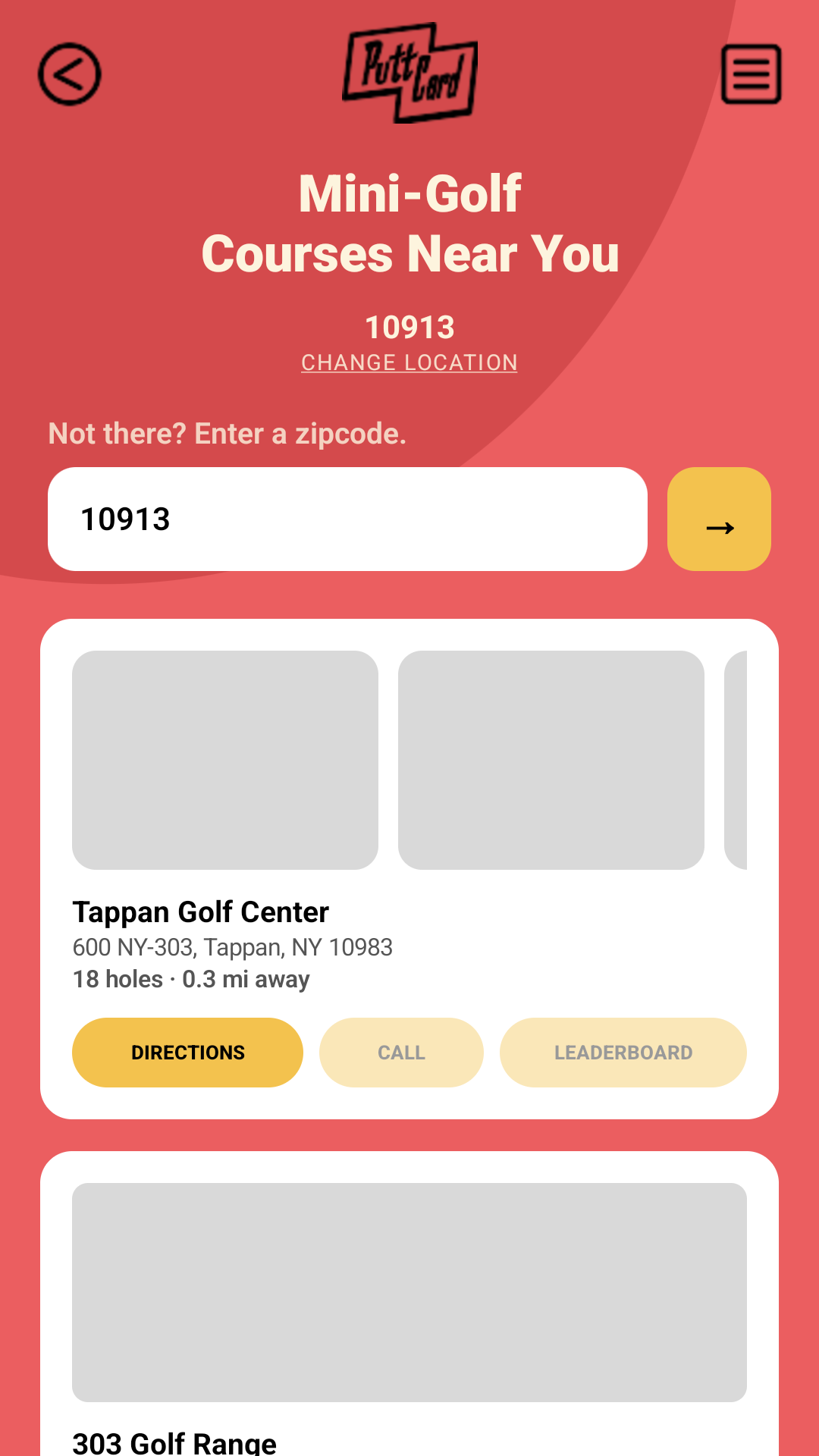
Every mini golf course in Puttcard started from public listings, which means the hours, photos, and details aren't always exactly how you'd want them. Claiming your course puts that in your hands — no emails, no waiting on us to make an edit.
Step 1
Claim your course
Find your course on Puttcard and tap "Own this course? Claim it" on its page. To make sure only the real owner gets access, you prove you're connected to the venue in one of two quick ways:
- 1.Your work email. If you sign in with an email at your course's own website domain, you're verified instantly.
- 2.Your website. We give you a short verification code. Paste it as plain text anywhere on your homepage — no technical setup needed, so it works even on Wix, Squarespace, or a Facebook page — then tap Check now. (Prefer a meta tag or a file upload? Those work too.)
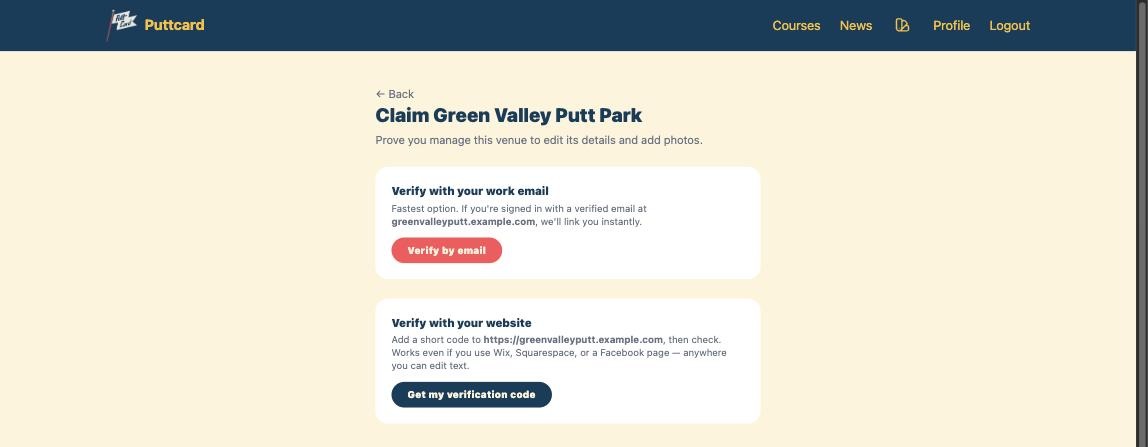
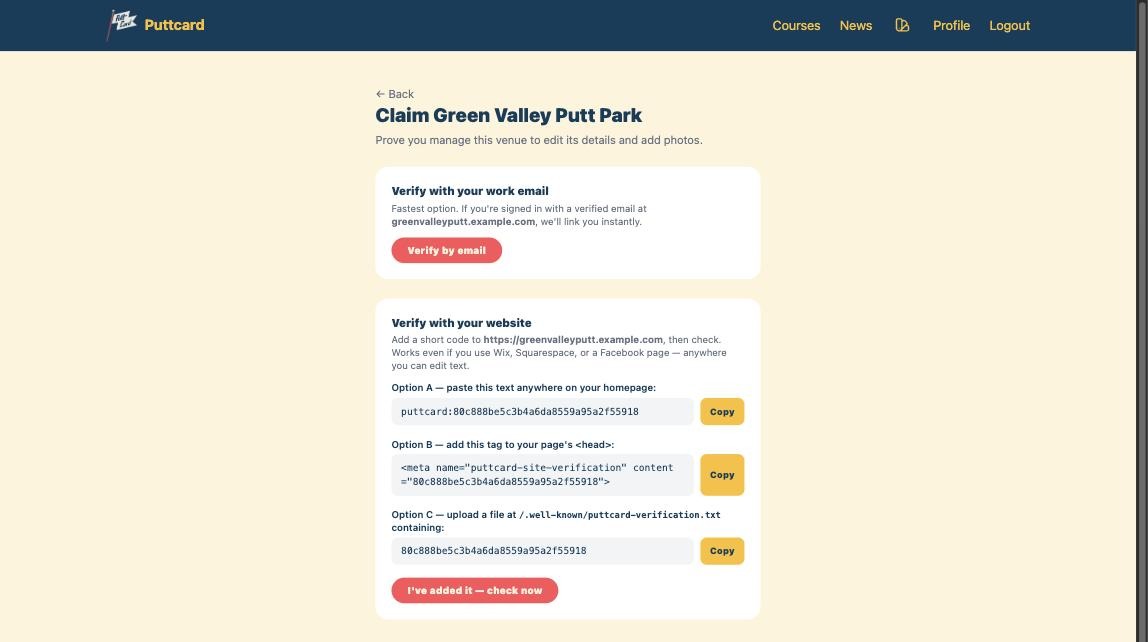
Verifying with your website, step by step
- Tap Get my verification code. Puttcard gives you a unique code that looks like
puttcard:…. - Copy it and paste it as plain text anywhere on your website's homepage — your welcome message, an about blurb, the footer, any text block will do. (Prefer a
<meta>tag or a small uploaded file? Those work too.) Then save and publish your site so the code is live. - Come back to Puttcard and tap I've added it — check now. We visit your site, find the code, and link your account on the spot.
Step 2
Keep your details right
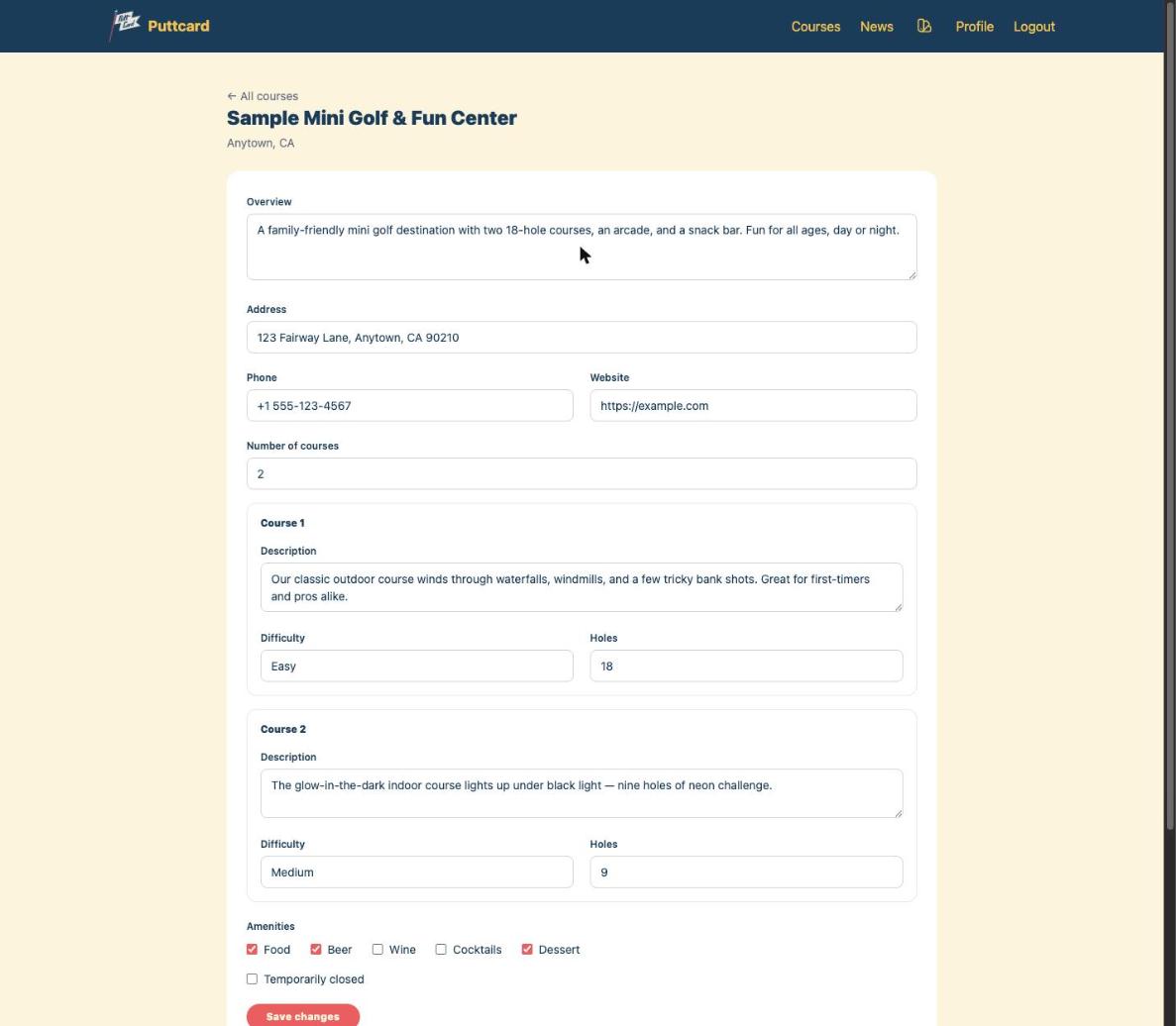
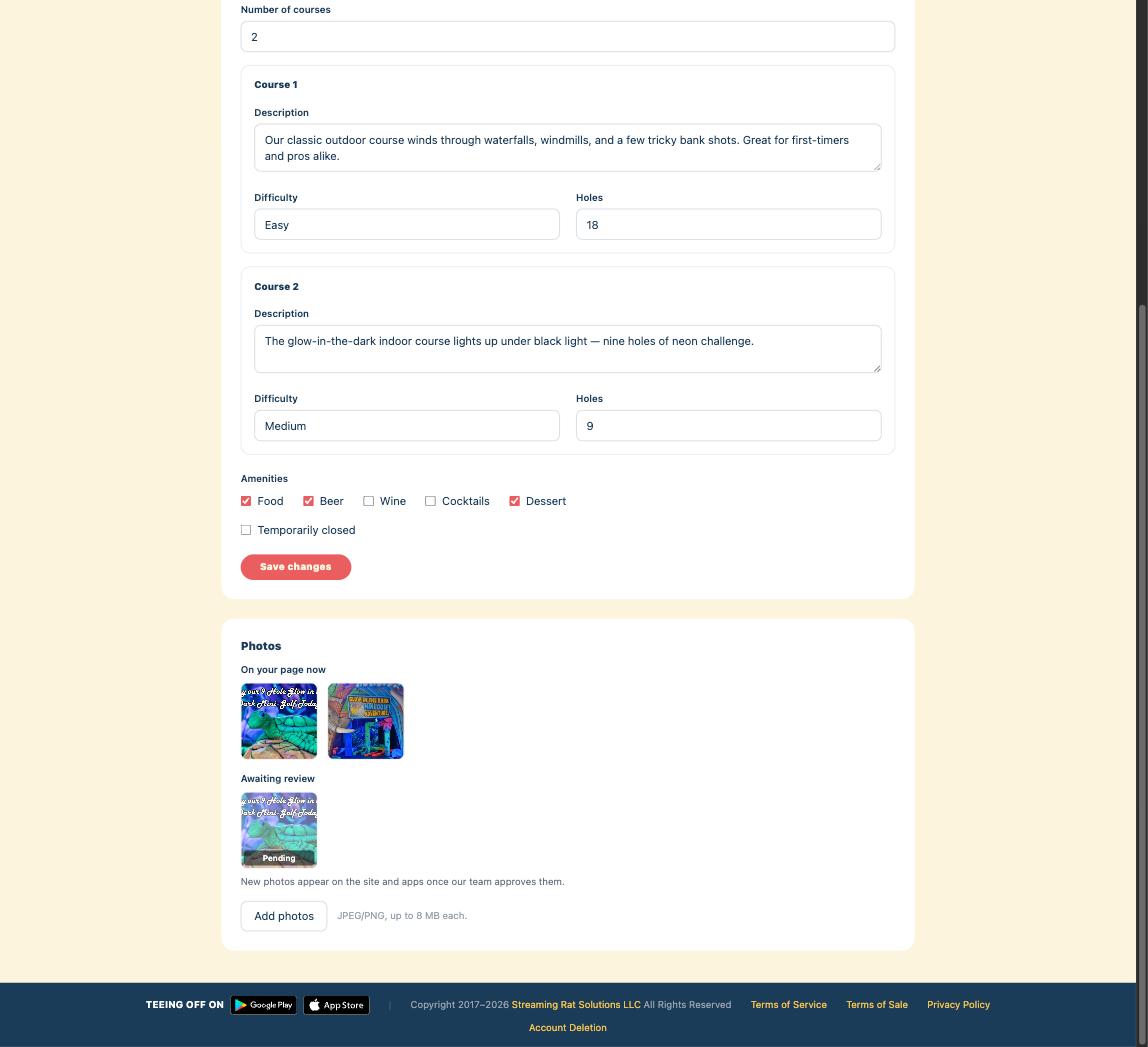
Once you're verified, you get a simple editor for your course. Update the things players care about most:
- • Your description and what makes each course special
- • Number of courses and holes, and how tough they play
- • Phone number, website, and address
- • Amenities like food, beer, wine, cocktails, and dessert
- • A "temporarily closed" note when you need it — perfect for seasonal hours
Save your changes and they roll out to your Puttcard page and the mobile apps shortly after — no app update required for players to see them.
Step 3
Show off your course with photos
Great photos are the fastest way to turn a browsing player into a visitor. From your course's editor, tap Add photos and upload straight from your phone or computer — glowing black-light holes, your best water features, the party room, whatever makes your place worth the trip.
Newly uploaded photos are marked Pending while our team gives them a quick review, then they go live on your Puttcard page and in the iPhone and Android apps. Your photos always take priority over the automatically-sourced ones, so your course looks exactly the way you want.
Ready to take the reins?
It takes just a couple of minutes to claim your course and make it shine. Find your venue on Puttcard to get started — and if it isn't listed yet, or you run into any trouble verifying, email us at hello@puttcard.com and we'll help.
Your course, your way. We'll keep score. ⛳